
AION 2 PvP Guide: Every Arena, Battlefield, Rift, and Abyss Reward Explained
A source-first AION 2 PvP guide: verify live modes, prepare for fights, troubleshoot access, and choose a safe practice route without relying on unconfirmed regional claims.
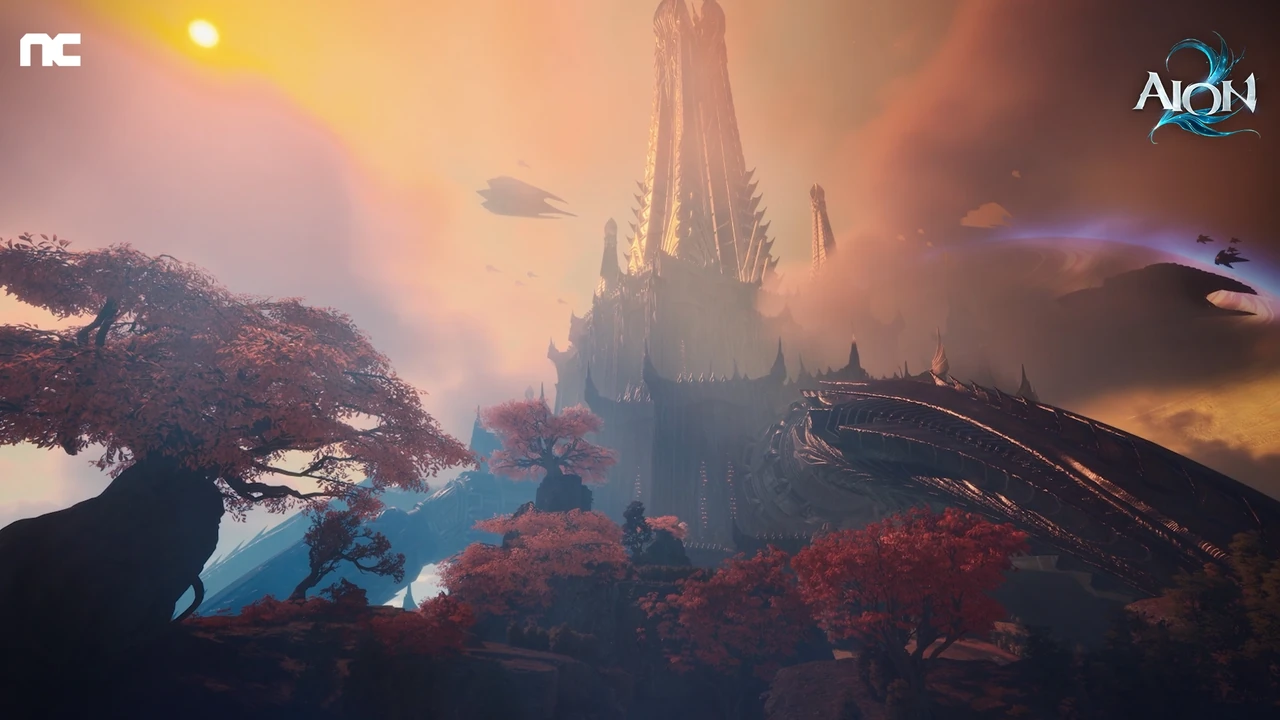
AION 2 PvP at a Glance
AION 2 PvP covers everything from low-risk duels to large-scale faction warfare, but you do not need to become a full-time PvPer to benefit from it. Understanding the AION 2 PvP system matters because Abyss Points, stigma skill progression, gear, and weekly rewards can support every playstyle, including players who primarily run PvE content.
The important distinction is that PvP is largely optional in AION 2, while some of its rewards can still improve your character. You can level and gear without entering ranked arenas, but the Abyss may be worth visiting for weekly missions and progression materials.
The global release is scheduled for October 5, 2026, according to the official AION 2 website. Some details below come from community testing and player experience in other versions, so launch rules, reward values, and available maps may change.
Read this first: PvP labels, queues, rewards, and access can change by client build and region. The official AION2 site, the live client, and the AION 2 Steam listing are the source of truth. Tables in this guide intentionally label community reports as reports. If your client does not show a named activity, do not assume that a video, search result, or another region's guide applies to your account.
A quick route for a first PvP session
- Open the current PvP, arena, or battlefield menu and take a screenshot of the exact activity name, requirements, and availability window.
- Confirm your region, server, character level, party state, and client version. These are separate variables; changing one does not prove the others are supported.
- Start with a duel, training activity, or an explicitly labelled equalized queue when the live client offers one. Do not spend Abyss time or consumables while you are still testing controls.
- Record the result: queue time, map, objective, defeat reason, and the patch or maintenance notice visible at the time.
- Only then decide whether ranked, rift, or Abyss content fits your goal. This order keeps a missing queue from turning into wasted progression resources.
Video source: AION2 official YouTube broadcast. The clip is included as official visual context; it does not prove that a particular PvP queue, reward, or balance rule is live in every region.
| PvP activity | Format | Gear equalized? | Main purpose |
|---|---|---|---|
| Duel | 1v1 practice | No | Test builds and rotations |
| Space-time rift | Open world | No | Invade enemy territory |
| Ranked arena | 1v1 | No | Competitive progression |
| Team arena | 5v5 | No | Organized ranked matches |
| Battlefield | 10v10 | Yes | Equalized objective combat |
| Abyss | Open faction zone | No | Abyss Points, PvP gear, events |
Duels, Arenas, and Battlefield
Duels: The Best Low-Risk Training Tool
Duels are the simplest way to try AION 2 PvP. You can challenge a nearby player without entering a queue, affecting a ranking, or risking valuable rewards. This makes dueling useful for learning how your class performs against human opponents.
PvE enemies usually follow predictable attack patterns. Players can interrupt casts, change targets, bait defensive skills, and react to your positioning. A short duel can reveal weaknesses that are easy to miss in ordinary leveling content.
Use duels to practice:
- Opening rotations and burst windows
- Crowd-control timing
- Defensive cooldown management
- Interrupts and dispels
- Fighting melee or ranged opponents
- Recovering after a missed attack
Ask a guildmate or friend to test specific situations instead of treating every duel as a competition. For example, practice surviving an assassin’s opener or escaping a gladiator’s engage.
Ranked 1v1 Arena
The 1v1 arena is a ranked mode where your character’s equipment remains active. Community reports describe a best-of-five structure: the first player to win three rounds takes the match. There is no full reset between rounds, so cooldown usage and resource management can influence the entire match.
Because gear is not equalized, item level and build quality can matter significantly. Matchups also appear to favor certain classes depending on the current balance and player population. Player experience from other versions suggests that Templars, Assassins, and Gladiators are commonly represented, while some ranged classes may see fewer queues.
| Arena feature | 1v1 details |
|---|---|
| Match type | Ranked solo combat |
| Round format | First to three round wins |
| Equipment | Your own gear and skills |
| Equalization | No |
| Best for | Matchup practice and competitive players |
| Main drawback | Gear and class matchup differences |
Treat early ranked matches as data-gathering sessions. Track which attacks defeat you, which defensive skills you waste, and whether you lose because of gear, positioning, or decision-making. That information is more valuable than chasing a rating before your build is ready.
Team Arena
The 5v5 arena follows the same broad ranked philosophy but adds party coordination. Your equipment is still not equalized, so organized teams with stronger gear and voice communication may have an advantage.
A balanced party should normally include damage, control, and sustain. Exact class requirements may change with patches, but teams should consider:
- A reliable frontline or initiator
- Consistent single-target damage
- Area-of-effect pressure
- Healing or defensive support
- Crowd control and interruption
Community reports indicate that 5v5 arena participation may be limited in some regions. Check queue activity before building your entire progression plan around it.
Battlefield: Equalized 10v10 Combat
Battlefield is the clearest choice for players who want skill-based PvP without bringing a fully optimized character. This mode equalizes equipment and skills, placing more emphasis on positioning, target selection, objective control, and teamwork.
The mode has been associated with Arena of Tactics in the interface and uses a 10v10 objective format. The Sandstorm Temple has been reported as the initial map, with additional maps potentially arriving later.
| Battlefield rule | What players should know |
|---|---|
| Team size | 10 players per side |
| Equipment | Equalized |
| Queue options | Solo or party |
| Party matchmaking | Full parties may face other full parties |
| Objective style | Conquest or capture-point combat |
| Availability | Scheduled time windows |
| Rewards | Abyss Points and materials |
| Weekly reward limit | Three victory rewards and three participation rewards |
| Reset timing | Reported weekly reset on Wednesday |
Battlefield rewards participation, but winning provides more. Because matches are only available during selected periods, check the schedule before organizing a group.
Community reports also mention uneven matches and players leaving after an early defeat. To improve your win rate, stay focused on the objective rather than chasing isolated kills. A team that controls a capture area can often outperform a stronger group that fights away from the scoring zone.
Space-Time Rifts and Open-World PvP
For a focused answer on the rising AION 2 rift timer search, see the AION 2 Spacetime Rift guide. It separates the official three-hour cycle update from regional schedules that may not apply to the global service.
The space-time rift is the gateway to enemy territory. When the rift opens, players can cross into the opposing faction’s map for a limited period, reportedly up to one hour.
Unlike the Abyss, rift PvP uses a flagging system. Players who enter with PvP enabled can fight other flagged enemy players. Those who want to complete PvE tasks should generally keep PvP disabled, but this does not make the area completely risk-free.
| Rift situation | Recommended action |
|---|---|
| Farming ordinary monsters | Enter with PvP disabled |
| Hunting enemy players | Enable PvP and travel with allies |
| Farming field bosses | Bring a party and monitor enemy activity |
| Approaching enemy guards | Avoid them unless prepared to fight |
| Leaving PvP mode | Check the cooldown before enabling it |
The most important warning concerns enemy guard NPCs. Getting too close may cause the guards to attack and automatically flag your character for PvP. According to player experience, the flag cannot be removed immediately because the toggle has a long cooldown.
That means you should not activate PvP casually just to defeat one player and then expect to return to safe farming. Plan your route before entering enemy territory, especially if your goal is a field boss, sealed dungeon, stronghold, or pet-related collection activity.
For safer rift farming:
- Travel with at least one other player.
- Avoid enemy guard routes.
- Keep an escape skill available.
- Do not linger after completing your objective.
- Watch for faction activity near bosses and dungeon entrances.
- Use a map route that minimizes unnecessary travel.
The Abyss: Rewards, Time Limits, and Siege Events
The Abyss is the central PvX area in AION 2. PvP is always active there, but many activities are PvE-focused. You may enter to complete command scrolls, defeat monsters, fight field bosses, collect Abyss Points, or participate in artifact sieges.
The reported launch map is Chaotic Lower Rashanta, which requires level 45 and an item level of 1,000. Other maps have been reported in the Korean version, but their availability and requirements for global players should be treated as unconfirmed until officially announced.
| Abyss map | Reported requirement or rule | Global status |
|---|---|---|
| Chaotic Lower Rashanta | Level 45 and item level 1,000 | Expected launch map |
| Chaotic Middle Rashanta | Level 45 and item level 3,000 | Reported future content |
| Chaotic Upper Rashanta | Level 45, item level 4,300 or lower, combat power 400,000 or lower | Reported future content |
| Abyss Rift Zone | Event-style organized combat | Not confirmed for global launch |
Manage Your Abyss Timer
Community reports describe a weekly Abyss time limit of seven hours for free-to-play players. A membership may increase the total to 14 hours in some versions, but the global benefit should be verified after launch.
Because time is limited, avoid entering the Abyss without a clear plan. Group similar missions together and complete high-value objectives during the same trip.
| Weekly Abyss priority | Why it matters |
|---|---|
| Abyss command scrolls | Reliable weekly progression |
| Season Abyss missions | Extra rewards for PvP-related objectives |
| Field bosses | PvE rewards with faction competition |
| Artifact siege | Faction-wide bonuses and Abyss Corridor access |
| Abyss Corridor | Short, concentrated Abyss Point farming |
A craftable item may extend Abyss time, according to community information. Until the global economy is established, save extension items for high-value activities rather than routine travel.
Abyss Rewards
Abyss Points are one of the main reasons even PvE players should consider visiting. They can contribute to stigma skill progression, while Abyss Points and medals are also associated with PvP-specific equipment.
PvP gear may have an additional collection benefit: player reports indicate that its appearance can be extracted for the wardrobe or closet system. This could make PvP gear relevant to collection-focused players, although exact extraction rules and item availability should be checked in-game.
Artifact Siege and the Abyss Corridor
Artifact sieges are large faction-versus-faction battles held around artifact nodes. Each side attempts to destroy the artifact boss first. The winning faction controls the node until the next siege and can receive bonuses to Abyss Point acquisition.
Node control may also unlock access to the Abyss Corridor. This short dungeon-style activity reportedly gives players about two minutes and ten seconds to defeat as many monsters as possible. The event is straightforward, but concentrated farming makes it a useful source of Abyss Points.
Even players who dislike direct PvP can contribute during artifact siege by:
- Attacking the artifact objective
- Protecting damage dealers
- Reviving allies
- Interrupting enemy attackers
- Controlling routes near the node
- Following faction leadership calls
A Practical Weekly AION 2 PvP Routine
You do not need to queue for every activity to benefit from the AION 2 PvP system. A focused routine can provide progression while limiting exposure to unwanted fights.
| Step | Activity | Practical approach |
|---|---|---|
| 1 | Check the weekly reset | Review missions, reward limits, and Battlefield times |
| 2 | Pick up Abyss command scrolls | Take missions that share nearby zones |
| 3 | Enter the Abyss with a route | Avoid wandering and protect your limited timer |
| 4 | Complete easy objectives first | Secure guaranteed rewards before risky fights |
| 5 | Join artifact siege if available | Help your faction improve future Abyss rewards |
| 6 | Use Battlefield rewards | Complete participation or victory limits when convenient |
| 7 | Practice with duels | Test your build without risking rank or resources |
A PvE-focused player should prioritize command scrolls and safe Abyss routes. A competitive player should add ranked arena, Battlefield, and player-kill missions. A guild-oriented player will gain the most from artifact siege and organized 5v5 matches.
| Player type | Recommended PvP content |
|---|---|
| New player | Duels and occasional Battlefield |
| PvE main | Abyss command scrolls and safe field activities |
| Solo competitor | 1v1 arena and solo Battlefield queue |
| Organized group | 5v5 arena and artifact siege |
| Full PvP specialist | Ranked modes, rifts, Abyss missions, and siege |
Remember that equipment is a major factor in non-equalized combat. Before entering ranked arena or enemy territory, improve your weapon, defensive stats, consumables, and class-specific rotation. Battlefield is the better environment for testing decision-making without allowing item level to decide every engagement.
AION 2 PvP FAQ
Is AION 2 PvP mandatory?
No. The available information indicates that players can progress through PvE without entering arenas or deliberately flagging for open-world combat. However, the Abyss may still be worthwhile because its missions and rewards can support stigma skills and equipment progression.
Which AION 2 PvP mode equalizes gear?
Battlefield is the reported equalized mode. It uses 10v10 teams and places players under similar equipment and skill conditions. The mode focuses on objectives rather than pure character power.
How much Abyss time do free-to-play players get?
Community reports indicate seven hours per week for free-to-play players. Membership benefits may provide additional time in some versions, but players should confirm the global rules after launch.
What should beginners do first in AION 2 PvP?
Start with duels against friends or guildmates. Then try Battlefield when it is available because equipment is equalized. Once you reach the reported level and item-level requirements, enter the Abyss with a planned route and complete command scrolls before taking unnecessary fights.
A live-client verification checklist
Search snippets and old guides often combine several AION versions. Before acting on a claim, run this short check in the client. It is deliberately repetitive: a PvP page is useful only when a player can tell whether the instruction applies to the character in front of them.
| Check | Where to look | What to record | What a failure means |
|---|---|---|---|
| Activity exists | PvP, arena, battlefield, or map menu | Exact localized name and icon | The activity may be unavailable, renamed, or region-gated |
| Entry requirement | Queue panel or NPC dialogue | Level, quest, item, party, and time text | Do not copy a requirement from a different client |
| Party state | Party finder and queue confirmation | Solo, premade, or leader-only wording | Leave and reform rather than guessing why the queue is disabled |
| Server and region | Account, launcher, and server selector | Region, server, language, and maintenance status | A queue can exist elsewhere without existing on your server |
| Version | Login screen, patch notes, or maintenance notice | Patch date and build label | Recheck any guide written before the current maintenance |
| Result | Match result, reward panel, or combat log | Reward name, limit, and timestamp | A visible reward is not proof of a weekly rule |
Take one screenshot before entering and one after the result screen. Do not publish account names, character IDs, chat messages, or payment details in a public bug report. A cropped UI screenshot with the date and source link is enough evidence for a guide update.
Matchmaking or entry troubleshooting
When a queue does not start, diagnose one variable at a time. First confirm that the activity button is active; then check schedule and maintenance notices; then remove a premade party and test solo if the panel permits it. If the queue is active but never finds a match, note the wait time and region rather than claiming that matchmaking is broken. Population, time of day, server maintenance, and an unannounced rollout can all produce the same symptom.
If the activity is greyed out, capture the requirement text exactly. Common categories include an unmet level, a missing quest, an incompatible party size, a disabled event, or a character already committed to another queue. Do not bypass the warning with a third-party launcher, modified client, or account-sharing service. Those workarounds can create security and support problems that are unrelated to PvP skill.
If you disconnect during a match, reconnect through the official client and check the result panel before re-queueing. Record whether the game applied a penalty, awarded participation credit, or returned you to the previous location. The outcome is version-specific; this guide does not assign a universal deserter rule.
Preparation by player goal
The right preparation depends on what you are trying to learn. A player farming a weekly objective needs a different checklist from a player studying a class matchup. Use the smallest test that answers your question.
Learning a class matchup
Use a friendly duel or a low-consequence activity when the client provides one. Agree on one question before starting: can you survive the opener, interrupt a cast, hold a defensive cooldown, or escape a chase? Change only one skill, stat, or equipment choice between attempts. After three attempts, write down the first decision that caused the loss. This is more useful than copying a tier list whose patch and region are unknown.
Completing a PvP-related mission
Read the mission's completion text, not the headline. “Participate,” “win,” “defeat,” “capture,” and “earn” are different requirements. Confirm whether the mission counts a party result or only your own action. Complete the least risky requirement first, then stop when the reward is secured. Avoid activating a PvP toggle in an enemy area unless you have already planned an exit route and verified its cooldown in your client.
Joining group combat
Before the queue, tell the group your role and one limitation: for example, “I can interrupt once every fight” or “I need a retreat call before using my defensive.” Keep voice or text callouts short. Mark a fallback position, keep one mobility or protection tool available, and regroup after a lost fight. A team that arrives together can test an objective; five isolated players only produce five separate combat logs.
Protecting a limited timer
When a zone has a visible time budget, prepare the route before entering. Put the intended quest, consumables, repair location, and exit point on a written checklist. Start a timer only after the client confirms that the activity has begun. If a report says “seven hours,” “three wins,” or another exact limit, treat that number as unverified until the live reward panel or an official notice confirms it for your region and membership state.
A repeatable post-match review
PvP improvement is easier when a loss becomes a test result. Use this five-line note after every serious attempt:
- Goal: What were you trying to do: survive, secure an objective, peel, interrupt, or finish a target?
- First break: Which event made the goal impossible: a missed interrupt, bad position, empty resource, or split team?
- Information: What did you know before the fight and what did you learn too late?
- Change: Pick one change for the next attempt. Do not rebuild the entire character from one loss.
- Evidence: Save the patch date, queue name, region, and screenshot if the result conflicts with a guide.
This method also helps separate balance from execution. If the same action fails against multiple opponents while the tooltip and patch note remain unchanged, report the reproducible behavior. If the result changes with position or timing, practice that condition before declaring a class or mode unusable.
Source policy and update boundaries
Use the official AION2 website, official news and notices, and the Steam store page for release, access, maintenance, and platform claims. The official YouTube channel can demonstrate a feature, but a broadcast is not a substitute for a current rule panel. Community posts, videos, and Discord messages are useful leads for questions to test; label them as player reports and include their publication date when they are retained.
For connected systems, use the AION 2 class guide to compare role fundamentals, the AION 2 maps guide for route planning, the space-time rift guide for open-world risk, and the Abyss guide for zone-specific preparation. These links answer different questions; they are not evidence that an activity is currently enabled.
What this page will and will not claim
This page will explain a live menu, a sourced announcement, or a reproducible player test with a date and region. It will not turn a Korean-client value into a global value, a datamined string into an official rule, or one player's queue into a universal matchmaking promise. When official information changes, update the table, screenshot caption, and “last modified” date together. If a detail cannot be checked, say not confirmed for this client and give the player a safe verification step.
Expanded FAQ
Is a community video enough to prove an AION 2 PvP feature?
No. A video can show what happened on one account, server, date, and build. Use it to learn the route or formulate a test, then confirm the current client panel or an official notice. Do not copy its reward values, queue rules, or level requirements without matching evidence.
Why does the PvP menu differ from a guide?
The most likely explanations are a different region, rollout stage, character state, language label, or patch. Capture the menu and compare the publication date before assuming the feature was removed. A missing button is a data point, not proof of a bug.
Should I change my class because I lost a duel?
Not from one duel. Repeat the same test with a clear goal, check the live skill tooltips, and note whether the loss came from gear, positioning, cooldown timing, or a matchup interaction. Use the class guide for a baseline, then make one controlled change.
Can I use this page to plan a weekly PvP route?
Yes, as a checklist, but verify every limit and reset in the live reward panel. Schedule, membership benefits, and activity availability can vary. If the panel does not show a limit, this guide deliberately leaves the value unconfirmed.
Where should I report a reproducible PvP issue?
Start with the official support or notice channel linked from the AION2 website. Include region, server, client version, exact activity name, steps to reproduce, expected result, actual result, and a redacted screenshot. Do not include passwords, recovery codes, or private account data.
Related Guides
AION 2 Abyss Guide: PvPvE, Sieges, AP Farming, and PvP Gear Priorities
Learn how the AION 2 Abyss works, from AP and siege rewards to PvP gear, ranking points, routes, and early progression priorities. Check official details.
AION 2 Abyss Points Guide: Best Farming Methods, PvP Tips, and Gear Priorities
Learn the best ways to earn AION 2 Abyss Points through daily quests, rifts, arenas, battlefields, and safer PvP routines. Follow official updates.
AION 2 battlefield guide: PvP preparation, tactics, and what to watch
Prepare for the AION 2 battlefield with practical PvP tactics, build planning, team communication, and launch-ready advice. Follow official updates.
AION 2 Battlefield Siege: PvP Objective Guide
Use this AION 2 Battlefield Siege guide to plan Abyss PvP goals, faction movement, objective checks, party roles, and official Chapter 1 updates.